• Home
  • Mobile
  • Laptop
  • Camera
  • Other Devices
  • Contact
    • Category
    • Category
    • Category
  • Advertise
Mobile World . Powered by Blogger.
facebook twitter instagram pinterest bloglovin Email

Apna Mobile Bazaar


APPLE MACBOOK AIR 2019
  • The refreshed MacBook Air (2019) is here after a tumultuous few years for Apple’s thin and light MacBook. The MacBook Air used to be the most affordable way to get a MacBook, but then it seemed to fall out of favor when Apple positioned the 12-inch MacBook as both the slimmest and cheapest of its laptops.
  • But then, in a rather unexpected move, Apple abandoned its 12-inch MacBook line while rolling out a refreshed MacBook Air for 2019 at the same time.
  • With the MacBook Air back in what many people believe is its rightful place as the most affordable Apple laptop, will this year’s model triumph in bringing Apple’s vaunted design and build quality to a new audience who are put off by the MacBook Pro’s hefty price?

Price and availability
  • Apple’s announcement of a new MacBook Air (2019) was great for several reasons. First of all, we weren’t really anticipating a refresh. And second, the entry-level MacBook Air (2019) not only got that refresh, but also a price cut to $1,099 (£1,099, AU$1,699).
  • Undeniably, it’s still far from budget territory. Nonetheless, this move makes the MacBook Air more affordable than ever, and seeing prices go down with updates – rather than up – is always a nice welcome. For comparison’s sake, the MacBook Air (2018) started at $1,199 (£1,199, AU$1,849) when it was released.
  • The base model of the MacBook Air (2019) is equipped with a 1.6GHz dual-core 8th-generation Intel Core i5 processor with Turbo Boost up to 3.6GHz, 8GB of LPDDR3 RAM, 128GB storage and Intel UHD Graphics 617.
  • You can also get a model with the same specs, but with twice the storage at 256GB, which will cost you $1,299 (£1,299, AU$1,999).
  • That basically means you’re getting 128GB more for $200/£200/AU$300, a pretty costly upgrade. It’s a bit frustrating that Apple has kept that large leap in price for a fairly small amount of additional storage space. Meanwhile, you can double your iPhone XR storage for another $50/£50.
  • It makes much more financial sense to get the 128GB version, and then either buy an external hard drive (check out our pick of the best external hard drives for Macs for options), or use cloud storage like iCloud to save your files.
  • As is unfortunately standard with Apple’s hardware, there’s no easy way to open up the MacBook Air yourself and upgrade the SSD.
  • Therefore, while we’re happy to see the price drop for the MacBook Air, shipping a premium – and while the Air is the most affordable MacBook, at this price it’s still premium – laptop with just 128GB of storage seems pretty mean in 2019 – particularly when Apple charges so much for a storage upgrade.
  • One of the main threats to the MacBook Air (2019) is that Windows laptops are now even slimmer and more powerful than ever. Apple no longer has the monopoly on thin and light laptops, and there are a number of Windows-based Ultrabooks that come with similar (or even better) specifications for the same price. And, you can guarantee that they all have bigger hard drives than 128GB. For example, the HP Spectre x360 (2019) is around the same price, but with 256GB storage and a much faster processor.
  • The lower entry price of the MacBook Air (2019) is definitely welcome if you’re set on getting a MacBook. However, some of Apple’s not so attractive habits are still evident, and with increased competition from Windows laptops, there are better value alternatives available.

Design

  • Like with the new MacBook Pro (2019), Apple didn’t change the external look of the MacBook Air (2019) from last year’s model.
  • This is great news if you’re already in love with the design of the MacBook Air, but not so if you craved a more substantial update.
  • This also means that you end up with the same thin laptop with dimensions of 11.97 x 8.36 x 0.61 inches (30.41 x 21.24 x 1.56cm) and a weight of 2.75 pounds (1.25kg). It remains astonishingly lightweight, and while it’s not as mind-blowingly light as competitors like the Acer Swift 7, the Apple MacBook Air (2019) is a device you can easily carry around in a bag or backpack.
  • Despite being thin and lightweight, it does feel solid and durable, so you don’t have to worry about bends and dents. This is thanks to the MacBook Air being made out of an aluminum alloy that looks great and feels robust. By keeping the same design as last year’s model, the new MacBook Air (2019) is once again made out of 100% recycled aluminum, which means that no new metal has been mined to build this device.
  • That’s a brilliant selling point for anyone who is environmentally-conscious, and something we commend Apple for.
  • However, by keeping the same design, it means this year’s model still has the same elements as the 2018 model which fall short of our expectations.
  • The fact that the MacBook Air only comes with two Thunderbolt 3 ports is disappointing though understandable, considering the slim design of the laptop. However, Apple’s choice to put both ports on the left-hand side puzzled and frustrated us – and it continues to do so in the 2019 model.
  • If one port had been put on each side, it would have allowed people a bit more flexibility when charging the MacBook Air. Instead, you always need to sit in a certain position with the power adapter plugged into the left of the laptop.
  • It also makes the MacBook Air seem a little cluttered – and slightly lopsided – if you plug in two (or more if you have an adapter) devices into the Thunderbolt 3 ports.

Keyboard and trackpad

  • Apple, that creature of habitual mystery, has been coy about the changes it's made to the 2019 Air's keyboard, and about whether or not it's different from the keyboard in the 2019 Pro - the firm refers to it only as "the latest-generation keyboard". This has left prospective buyers wondering if Apple has managed to fix the numerous problems that have bedevilled the keyboards on all three MacBook models in recent years.
  • The trackpad is immense - 8.2 x 12cm - and offers the additional benefits of Force Touch, meaning you can do deep presses to trigger secondary functions such as dictionary lookups on words. It should also be more reliable than a conventional trackpad because it has fewer moving parts: it doesn't actually click downwards, instead simulating a click with a small haptic buzz.

Touch ID

  • Finally, the Touch Bar still hasn't made its way across from the MacBook Pro but there is a Touch ID fingerprint sensor next to the F12 key (again, this is not a new feature for the Air line). This is terrifically useful for login, as ever, with one extra benefit that you wouldn't experience with Touch ID on iOS devices: you are automatically logged in to the correct user account when you tap down a finger.
  • However, we haven't yet been able to replicate an additional neat feature that we observed on the 2018 Air and, previously, on the 2016 Pro. On those devices, if you tried to tap in straight after startup, or at any other time when a password rather than a fingerprint was required, Touch ID would do the next best thing - it would bump you to the password-entry field for the correct account. That doesn't appear to work on our 2019 Air.
  • We've dropped Apple a line to see if something's up, and will update this review once we know more.
  • The company has confirmed that the 2019 keyboards contain "new materials", but this is a tweak to the butterfly mechanism rather than the wholesale return to the old scissor switch style that has been predicted for the near future. The scissor keys take up more space but have deeper travel and better feedback when typing.
  • The irritating tappy noisiness of past generations has been noticeably toned down, and (presumably linked to this) the keys feel softer to type on. Whether the modifications will translate into a cure for the ddouble-lletter inaccuracies that users reported with previous generations remains to be seen, but our sample at least has shown no signs of the issue during our time with it. And it's reassuring to note that Apple has extended its keyboard repair program to include the 2019 MacBook Pro and, now, the 2019 Air.
  • On the down side, we will note that the arrow keys are still squeezed into a tiny space, with almost no space between the keys to guide the fingers (and literally none between the up and down keys!). We sorely miss the more spaced-out arrows on our 2015 MacBook Pro. The keyboard in general is quite cramped and typing accuracy is poorer than on a more expansively laid-out keyboard, although this gets a little better with practice.

Screen

  • At last! We've found a substantive and quantifiable difference from the previous generation. The 2019 MacBook Air gets Apple's adaptive True Tone technology, which adjust the screen's intensity and colour output to account for ambient lighting conditions and should mean your subjective experience is consistent regardless of daylight, electric lighting and so on.
  • We're big fans of True Tone in general, having grown particularly fond of it on the iPad and iPhone range - although it may be worth pointing out that the the more portable a device is, the more likely it is to be used in a wide variety of lighting conditions. The Air is more portable than most computers, of course, but will still be toted about less than a phone.
  • And funnily enough we didn't totally love the True Tone experience on this machine. Sitting in front of the 2019 Air and a 2017 12in MacBook in the gathering dusk, it occurred to us that the orangey tint of the machine with True Tone might be more restful than the stark white one without, but it's also a bit, well, sleepy. That stark whiteness feels a lot clearer to use... although it's probably saturating our brains with sleep-ruining blue light, and that will serve us right.
True Tone screen
  • Perhaps the most notable change in the MacBook Air (2019) is the screen, which now boasts Apple’s True Tone technology.
  • The True Tone feature automatically adjusts the color temperature – usually whites – shown on the display, depending on the ambient light you’re MacBook Air is in. It can have a pleasing effect, especially on your eyes – when you first start the MacBook Air (2019), you can toggle the setting on and off to experience the difference. And, while this setting may not be for everyone, we have found it does quite an effective job of making colors look more natural.
  • True Tone has been included in MacBook Pros for a while now, and we’ve often thought that it wasn’t for everyone. MacBook Pros are often used by photographers, video editors and digital creatives who need accurate colors – something that True Tone messes with. However, with the MacBook Air, which is aimed at more casual laptop users who aren’t as worried about color accuracy, using this feature makes much more sense.
  • It’s a nice addition, but probably not one that would make you want to swap your 2018 model for this year’s.
  • Elsewhere, the screen is the same – a 13.3-inch Retina display with 2,560 x 1,600 resolution that delivers crisp and rich colors. Last year’s model introduced remarkably thin bezels around the display, making the screen span almost the entire width of the MacBook Air. The display has long been one of the MacBook Air’s best qualities, so we’re delighted that – True Tone aside – Apple stuck with that winning formula.
Share
Tweet
Pin
Share
No comments


HUAWEI MATEBOOK X PRO BRIEF DESCRIPTION
  • Huawei Matebook X Pro is a stylish and powerful Notebook Laptop and is powered by 8th Generation Intel® Core™ i7-8550U processor processor and sports a 13.9 inch LTPS that comes with a resolution of 3000 X 2000 pixels, so the picture quality is crisp and detailed. The screen size is big enough for an enriching gaming, surfing and video watching experience. On the memory front, the laptop is equipped with a hard drive of 256 GB and a 8 GB LPDDR3 RAM, thereby making it possible to store ample amount of data. All the above features ensure that you breeze through all your tasks throughout the day. It is backed up by a lithium-polymer battery that keeps the device running for upto NA hours or a considerable amount of time. It is loaded with Quad and Dolby Atmos Sound System for a great audio experience.


Design

  • The aluminum Huawei MateBook X Pro reminds me a lot of Apple's MacBooks, and that's a good thing. Not only is it a slim, silver wedge (also made in Space Gray), it's easy to open its lid with a single hand, a hallmark of Apple's notebooks. It also sports a shiny beveled edge around its keyboard deck, which the MacBooks do not.
  • I still prefer the Apple's designs in two slight ways: the Huawei logo -- which looks like you chopped an Apple into a bunch of wedges -- isn't as elegant. Also, the MateBook X Pro's lid and edges are flatter, lacking the tapered curves of the MacBook Air.
  • The 14-inch MateBook X Pro weighs 2.9 pounds and measures 0.6 inches thick, making it similar in size and heft to the 3-pound, 0.6-inch thick Apple MacBook Pro (13-inch, Touch Bar). The Dell XPS 13 (2.65 pounds, 0.5 inches) is lighter, while the HP Spectre 13 (2.4 pounds, 0.4 inches) is both thinner and lighter.

Display
  • The vibrant 3000 x 2000-pixel display on the Huawei MateBook X Pro provided plenty of detail and brightness. Watching a trailer for Solo: A Star Wars Story, I appreciated the vibrant green laser blasts, the eye-popping red of Emilia Clarke's cape and the warm glow of a fire reflecting upon Alden Ehrenreich and Woody Harrelson. I also noticed crisp details in the mask of a raider and a leather holster.
  • The MateBook X Pro's screen produces 124 percent of the sRGB spectrum, which exceeds the 113 percent premium laptop average. The MacBook Pro earned a similar 123 percent and the Spectre 13 measured a lower 111 percent, while the XPS 13's 1080p screen (117 percent) and its 4K screen (130 percent) straddled the MateBook X Pro's rates.
  • The MateBook X Pro's display emits up to 458 nits, making it one of the brightest laptops to ever cross my desk, and its powerful enough for colors to stay strong at 80 degrees to the left and right. The category average is a dimmer 300 nits, while the MacBook Pro is tied at 458 nits. The XPS 13's 4K screen is a slightly dimmer 415 nits, while its 1080-pixel screen is even less bright, at 372 nits. The Spectre 13 measures a dim 247 nits.


Keyboard & Touchpad
  • As I wrote this review, I noticed how comfortable it is to type on the Huawei Matebook X Pro. Taking the 10fastfingers typing test, I hit a rate of 78 words per minute, coming close to my 80 words per minute average. This rate of success is pleasantly surprising, considering the keys measure a shallow 1.1 millimeters of vertical travel (we look for at least 1.5mm); the 69 grams of force required to actuate each key makes up for that.
Audio  

  • The Huawei MateBook X Pro pumps out a lot of sweet sound, enough to fill a medium-size conference room. Listening to TV On The Radio's "Young Liars," I was happy to hear accurate vocals, crisp, jangly drum cymbals and solid thumping bass.
  • The included Dolby Atmos Sound System utility can be ignored. Its default Music setting provides a solid balance for all kinds of media, including interviews, trailers and your favorite tunes. The Games preset will muddy instrumentals, while the Movie setting overemphasizes them, as if to provide more gravitas to a score.
Performance
  • The Intel Core i7-8550U CPU and 16GB of RAM in the Huawei MateBook X Pro provides tons of speed for nimble, seamless multitasking. After splitting my screen between a 1080p YouTube video and 12 Chrome tabs (including Giphy, the Google Doc for this review and Slack), I saw not a stutter or pause when scrolling through pages or opening new tabs.
  • The MateBook X Pro earned a solid 12,913 on the Geekbench 4 general performance test, crushing the 9,930 premium notebook average. That's close to the 13,090 from the Spectre 13 (1.8GHz Intel Core i7-8550U with 8GB of RAM), higher than the 9,213 from the 13-inch MacBook Pro (Intel Core i5-7267U with 8GB of RAM), and lower than the 14,180 from the XPS 13 (Core i7-8550U with 8GB of RAM).
Battery Life
  • The Huawei MateBook X Pro provides close to all-day battery power. The system lasted an impressive 9 hours and 55 minutes on the Laptop Mag Battery Test (web surfing at 150 nits). This runtime is over an hour longer than the 8:53 category average and obliterates the Spectre 13 (5:16), and it's in between the times from the 1080p XPS 13 (11:59) and the 4K XPS 13 (8:23).
Webcam

  • I hope you like the look of your knuckles and torso. Because the Huawei MateBook X Pro's 0.9-megapixel webcam is hidden inside the button between its F6 and F7 keys, it shoots at an angle that focuses on your fingers, and not your face. While this is a boon for security-minded users, the system's microphone is still usable when the webcam is tucked away, so you're not completely safe from the chance of being spied on.
Share
Tweet
Pin
Share
No comments

LG Gram 17, Gram 15, Gram 14 laptops launched in India; prices start from Rs 95,000
LG has now launched three new Gram laptops in India, running Windows 10 Home. The new additions include LG Gram 17, LG Gram 15, and LG Gram 14 laptops, and they will go on sale on Amazon India from next week. LG Gram 17-inch variant is awarded to be the world's lightest laptop in its category by Guinness World Records in February 2019. The 17-inch laptop was launched at CES 2019 and weighs only slightly above 1kg. The 17-inch variant is claimed to offer 19.5 hours of operation on a single charge.
LG Gram 17 price in India, features
  • The LG Gram 17 laptop is priced in India at Rs. 1,26,000 (model number 17Z990-V), and will be available on Amazon India from next week onwards. The new LG Gram 17 sports a 17-inch WQXVGA (2560x1600 pixels) IPS sRGB display panel with a 16:10 aspect ratio. It is powered by an 8th Generation Intel Core i7 processor, coupled with Intel UHD graphics, up to 8GB of DDR4 RAM, and a 512GB solid-state drive (SSD).
  • LG's Gram 17 has a weight of 1,340 grams, making it one of the lightest 17-inch laptops in the market. It is backed by a 72Whr battery which is claimed to offer a whopping 19.5 hours of battery life on a single full charge.
  • The notebook features US military MIL-STD-810G durability criteria that covers seven resilience factors including shock, dust, extreme temperatures, etc. Connectivity ports on the LG Gram 17 include a USB Type-C (v3.1) port, 3x USB 3.1 ports, an HDMI port, HP/ Mic Out combo, a microSD card slot, and dual mic. Other features include a fingerprint reader, Precision Glass Touchpad, a backlit keyboard, and DTS Headphone X audio support. Dimensions are 380.6x265.7x17.4mm.

LG Gram 15 price, specifications
  • The LG Gram 15 with model number 15Z990-V come with a price tag of Rs 98,000 in India. The notebook draws its power from a new 8th Generation Intel Core i5 processor, backed by 8GB of DDR4 memory, and 256GB SSD. With this laptop, customers will get a 15.6-inch display. It weighs about 1,099 grams. The laptop comes with a battery back-up of 21.5 hours, as per the company.

LG Gram 14 price, features
  • The LG Gram 14 with model number 14Z990-V is the most affordable one among the three laptops. This laptop will be available for Rs 95,000 in India. It features a 14-inch display and reportedly offers a battery backup of 21.5 hours. It weighs about 995 grams. There is an 8th Generation Intel Core i5 processor under the hood. It comes with an 8GB of DDR4 RAM, and 256GB SSD.
  • Younchul Park, Director-Home Entertainment, LG Electronics India said, “We have tried to evolve LG gram in accordance to consumer needs – super-light laptops that pair performance with optimum portability. The new laptops promise to deliver what customers want, need and do with its strong performance, durability and battery life.”

Share
Tweet
Pin
Share
No comments

Samsung Notebook 9 Pro (13-inch, 2019)


If a MacBook and 2-in-1 Windows laptop had a baby, it would be the Samsung Notebook 9 Pro. For a relatively affordable $1,099, Samsung's latest Notebook offers decent performance and solid battery life packed in a light, premium chassis. And MacBook fans will enjoy its bouncy keys. This 13-inch laptop's display is dim and the speakers are less than desirable. But overall, the Samsung Notebook 9 Pro is a great 2-in-1 laptop for the price.


Samsung Notebook 9 Pro Price and Configuration Options
I tested the base model of the Samsung Notebook 9 Pro, which costs $1,099 and comes with an Intel Core i7-8565U processor, 8GB of RAM, a 256GB SSD and an Intel UHD 620 GPU. Compare that with the 13-inch MacBook Pro, which costs $1,499 for similar specs.
The only other Notebook 9 Pro model costs $1,299 and packs a beefier 16GB of RAM and a 512GB SSD. The Samsung Notebook 9 Pro will be available to purchase on March 17 exclusively at Best Buy and on Samsung's website.

Design
The Samsung Notebook 9 Pro has a silver aluminum chassis with a Samsung logo stamped on it -- its design is simple, but it looks premium. And while the chassis has diamond-cut edges, they don't look as good as they sound, mostly because they're reminiscent of a tin can.
The Notebook 9 Pro's interior is eerily similar to the MacBook's design -- its silver deck is home to a black keyboard with rounded keys. When you fold this machine into a tablet, its lid perfectly aligns with the underside, which satisfies my inner perfectionist. It's also nice to see the webcam on the top accompanied by slim bezels.


At 2.7 pounds and 12.1 x 8.1 x 0.55 inches, the Samsung Notebook 9 Pro is lighter and thinner than its ultraportable competitors. However, the HP Spectre x360 (13-inch, 2019) at 2.8 pounds, 0.6 inches; Huawei MateBook 13 at 2.9 pounds, 0.6 inches; and Lenovo Yoga C930 at 3.1 pounds, 0.6 inches are still sexily slim machines.

Ports
The Samsung Notebook 9 Pro has decent ports for its size, but it would have been nice to see a USB Type-A port.


On the left, there's a headphone jack and two Thunderbolt 3 ports, while on the right, there's one USB Type-C charging port, the power button and a microSD card slot.

Display
While the Samsung Notebook 9 Pro's 13.3-inch, 1920 x 1080 glossy panel is colorful and sharp, it's dimmer than we would have liked.


In the trailer for Aladdin, Jasmine's pink dress with gold and green accents popped on the Samsung Notebook 9 Pro's display, while the threading of Aladdin's clothes in the next scene was pronounced. However, it was difficult to make out darker scenes, like those in the Cave of Wonders, due to the intensified glare on the display.

In the trailer for Aladdin, Jasmine's pink dress with gold and green accents popped on the Samsung Notebook 9 Pro's display.

Our colorimeter clocked the Samsung Notebook 9 Pro's panel for 118 percent of the sRGB spectrum, which matches the premium laptop average. It beat the Yoga C930 (100 percent), but the Spectre x360 (150 percent) and Huawei MateBook 13 (122 percent) were more vivid.

MORE: Laptops with the Most Colorful Screens

At 254 nits, the Samsung Notebook 9 Pro's screen is frustratingly dim, as it falls well below the 328-nit category average. While the Spectre x360 (287 nits), MateBook 13 (318 nits) and Yoga C930 (273 nits) didn't make the average either, they were brighter.

Keyboard, Touchpad and Stylus
Despite having low travel, the Samsung Notebook 9 Pro's keys are quite bouncy. While I didn't find the keyboard satisfying, anyone who's partial to MacBook's butterfly switches will enjoy the Samsung Notebook 9 Pro's typing experience. The keys themselves are well spaced, but they have dull backlighting.


I mustered 65 words per minute on the 10fastfingers.com typing test, which is just under my 66-wpm average. The Notebook 9 Pro's keys travel at 0.9 millimeters and require 63 grams of actuation force. We prefer 1.5 mm of key travel and a minimum of 60 grams of force.

Using the included Active Pen, I drew a poor representation of eggs and waffles, but the digital ink glided smoothly across the Samsung Notebook 9 Pro's panel without stuttering. The stylus features 4,096 levels of pressure sensitivity. The button closest to the tip acts as an eraser, while the other one acts as a right-click and select function. Unfortunately, they're not reprogrammable, and also, there isn't a garaged slot to house the pen.

MORE: The Laptops with the Best Keyboards - Comfort, Accuracy

The 4.7 x 2.5-inch touchpad is remarkably soft and comfortable to use. It's also responsive to Windows 10 gestures like two-finger scrolling and three-finger tabbing.

Audio
The bottom-firing speakers on the Notebook 9 Pro are loud enough to blast System Of A Down's "Chop Suey!" across a small office, but they're not the best-sounding ones. The guitar strumming and drums during the intro sounded sharp and scratchy, like someone cranked the treble a little too high. The vocals were pronounced throughout the song, but the electric guitar and bass sounded hollow.

MORE: 5 Tips for Quality Notebook Audio

In the Samsung Settings app, you can adjust the audio with a couple of presets like Music and Movies, but I would just leave it on Standard because it sounded the most balanced.

Performance
Powered by an Intel Core i7-8565U processor with 8GB of RAM, the Samsung Notebook 9 Pro sped through the 40 Google Chrome tabs and five 1080p YouTube videos that I threw at it without stuttering.


On the Geekbench 4.1 overall performance test, the Samsung Notebook 9 Pro scored 15,432, which beats the 13,328 premium laptop average. With the same CPU, the Spectre x360 and MateBook 13 hit 14,935 and 17,214, respectively, while the Yoga C930's Core i7-8550U averaged 14,739.

If a MacBook and 2-in-1 Windows laptop had a baby, it would be the Samsung Notebook 9 Pro.

The Samsung Notebook 9 Pro took a sluggish 24 minutes and 36 seconds to transcode a 4K video to 1080p, which is a few minutes slower than the category average (21:45). The Spectre x360 (22:30), Lenovo Yoga C930 (20:45) and MateBook 13 (18:30) did it much faster.

MORE: Best Laptop Processor: Laptop CPUs Compared

Samsung's 256GB SSD copied 4.97GB of data in a decent 13 seconds, for 392 megabytes per second. While that's slower than the average premium laptop (543 MBps), it beats the Yoga C930's 256GB SSD (339 MBps) and matches the Spectre x360's 256GB SSD. The MateBook 13's 512GB SSD had the fastest transfer rate, at 636 MBps.

Graphics
With an Intel UHD 620 GPU, the Samsung Notebook 9 Pro scored 61,662 on the 3DMark Ice Storm Unlimited graphics benchmark, coming up short of the 87,638 premium laptop average.

The Spectre x360 (90,977) and Yoga C930 (85,758) did much better with the same GPU, while the MateBook 13 (141,995) excelled with an Nvidia GeForce MX150 GPU.

Battery Life
Despite the Samsung Notebook 9 Pro being superslim, it has a big enough battery to get you through the workday. After continuously surfing the web over Wi-Fi at 150 nits of brightness, the Notebook 9 Pro lasted 8 hours and 53 minutes, which beats the average premium laptop (8:29) as well as the Yoga C930 (8:09) and the MateBook 13 (6:15). However, the Spectre x360 came out on top, surviving 12:07 on a full charge.

Webcam
The Samsung Notebook 9 Pro's 720p webcam took grainy shots of my face, and it was difficult to make out where my hairline started and ended. The blue in my shirt was relatively accurate, but half of the ceiling was consumed by white light due to being overexposed.

Heat
This sleek ultraportable runs surprisingly cool. After streaming a 15-minute HD video, its underside measured only 88 degrees Fahrenheit, which is well within our 95-degree comfort threshold. Meanwhile, the center of the keyboard and touchpad hit 85 and 82 degrees, respectively. The hottest it got was 91 degrees near the hinge on the underside.

Software and Warranty
Samsung includes quite a few of its own branded apps in the Notebook 9 Pro. The most interesting one is Samsung Settings, which allows you to configure settings for power management, the color of the display and audio effects. Another notable one is Samsung Security, which allows you to enable Secret Screen, to make apps difficult to see by increasing opacity.


There's also Samsung PC Cleaner (kills apps through managed backups), Samsung Recovery (creates backups), Samsung Update (updates Samsung apps), Samsung Flow (allows phone connectivity), Samsung Gallery (photo app) and Samsung Notes (note-taking app).


On top of that, you get Windows 10 bloatware, like Candy Crush Friends, Candy Crush Saga and Township.
Share
Tweet
Pin
Share
No comments


Design and display

At first glance, the Dell XPS 13 could be mistaken for last year's model, and that's essentially the case here. However, Dell didn't just take an 'if it ain't broke' approach this year. It actually corrected the XPS' most glaring design flaw: the webcam, as it's now finally placed in its rightful position above the display.

Dell is quite proud of its new 2.25mm webcam, two years in the making, which is not only tiny enough to fit above the thin-bezel display, but also implements a 720p widescreen sensor paired with four far-field microphones so you can activate and utilize Cortana or Alexa from a distance.

The webcam's picture quality probably won't win any awards, but we appreciate the wider frame for making capturing co-workers or friends next to us easier. Taking 0.9 megapixel stills and 720p video, you'll look fine in meetings. Just don't expect Twitch broadcaster quality here.

Elsewhere, the build quality and design language are much the same as previous models. The laptop is just as thin and light as last year at 0.46 inches (11.6mm) and 2.7 pounds (1.23kg), respectively. The Dell XPS 13 also sticks to the same anodized aluminum screen lid and base, paired with a woven carbon fiber (or glass fiber on light colored models) keyboard deck.

As for the keyboard, it's just as punchy and responsive as always, and the glass-coated touchpad is still a delight to use. These are two of the features from the Dell XPS 13 that truly didn't need changing.
The lineup of ports is also inherited, with two Thunderbolt 3 (USB-C) ports, one USB-C 3.1 port, a microSD card slot and a 3.5mm headphone jack. This is a level above many competing laptops, with many sticking solely to USB-C 3.1 and not the superior Thunderbolt 3 standard.

Another thing that’s stayed the same is the display, not that it needed to change. It’s just as vibrant and rich as ever in both the Full HD and 4K touchscreen options; the bezels around the display are almost non-existent, of course.

Especially in the 4K model we tested here, we find the 100% sRGB color reproduction through Dell’s CinemaColor tools to be top-notch, complimented by some popping HDR techniques and 400 nits of brightness. The 4K panel is definitely very crisp, but it still might be a bit overkill for a 13.3-inch viewing area.
All told, there wasn’t much that had to be changed about the XPS 13 design, except for that one tiny elephant in the room.

Share
Tweet
Pin
Share
No comments
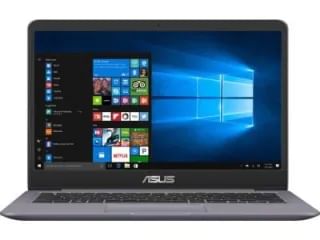
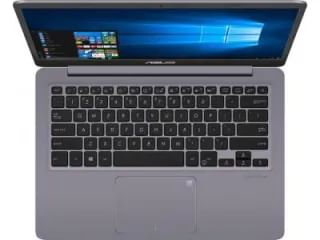
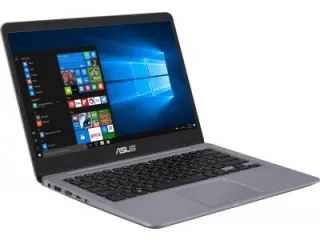
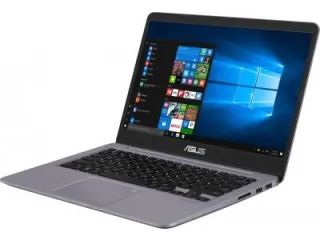
Asus Vivobook X407UF-EK140T Laptop 
(Core i5 8th Gen/8 GB/1 TB/Windows 10/2 GB)


General
This Laptop is meant for Everyday Use. The pre-installed Operating System of the laptop is Windows. The dimensions of the laptop are 246 x 328 x 22.9 mm.
Display
The laptop has a screen size of 14 in. and comes with resolution of 1920 x 1080 pixels. The display density of the laptop is 157 ppi (Pixels per inch). This Asus laptop also has FHD LED-Backlit Display.
Processor
This laptop features 8th Gen Core i5 processor which is clocked at 1.6 GHz and has 6 MB Cache Memory.
Asus Vivobook X407UF-EK140T Laptop


Asus Vivobook X407UF-EK140T Laptop

Asus Vivobook X407UF-EK140T Laptop
Memory
There is 1 TB HDD Space available in this laptop. There is 8 GB DDR4 RAM in the laptop.
Connectivity
The connectivity options for this laptop are Wifi, & Bluetooth.There are NO USB 3.0 Ports & 2 USB 2.0 Ports. USB 3.0 Ports are more advanced and faster than USB 2.0 Ports. There is also WebCam available to have a video call with another person.

Share
Tweet
Pin
Share
No comments
Older Posts

Airpod i11

Airpod i11
TWS i11 5.0 True Wireless Earphone

About me


Follow Us

  • facebook
  • twitter
  • instagram
  • Google+
  • pinterest
  • youtube

Labels

  • Laptop
  • Mobile
  • camera

recent posts

Sponsor

Facebook

Blog Archive

  • ▼  2020 (1)
    • ▼  July (1)
      • LG Q92
  • ►  2019 (57)
    • ►  December (1)
    • ►  October (10)
    • ►  September (14)
    • ►  August (32)

Contact Form

Name

Email *

Message *

Created with by ThemeXpose | Copy Blogger Themes